How to use Statz Competition Hub
Overview
The Competition Hub is your all-in-one destination of football statistics and betting intelligence for your chosen competition. It eliminates the need for multiple tabs and websites by bringing together integrated odds, league tables, fixtures, and player statistics in one place. Whether you’re checking weekend fixtures or analysing team form, the hub provides quick access to the data that matters most.
Where to Find the Competition Hub
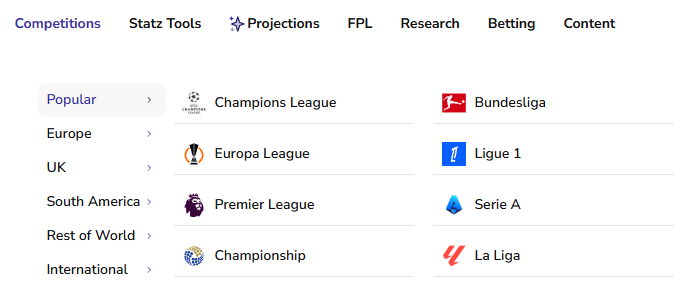
From our homepage, use the competitions section on our tool bar to navigate to your chosen competition through our organised sub groups. In this demonstration we will be exploring La Liga’s Competition Hub.
Bet Boosts
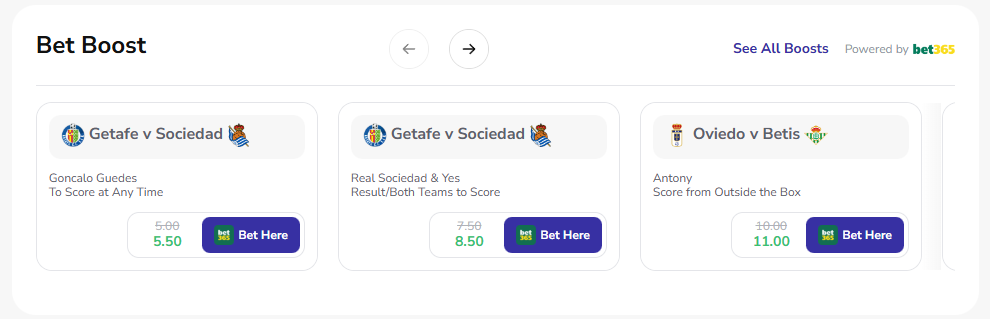
At the top of the page we have an integrated Bet365 Boost module showcasing every boosted bet builder for upcoming fixtures.
How to Use Bet Boosts
- Scroll through the carousel using the arrow buttons to view all available boosts.
- Check the specific market details, such as player shots, goals, or match outcomes.
- Look for the green enhanced odds compared to the original price (shown struck through).
- Click “Bet Here” to go directly to the bet365 and your selected bet boost will be pre-loaded in your bet slip.
- Check back regularly, especially before matchdays, as new boosts are added frequently.
If you would like to see bet boosts for other competitions click “See All Boosts” in the top right to view the complete list of offers.
Tables
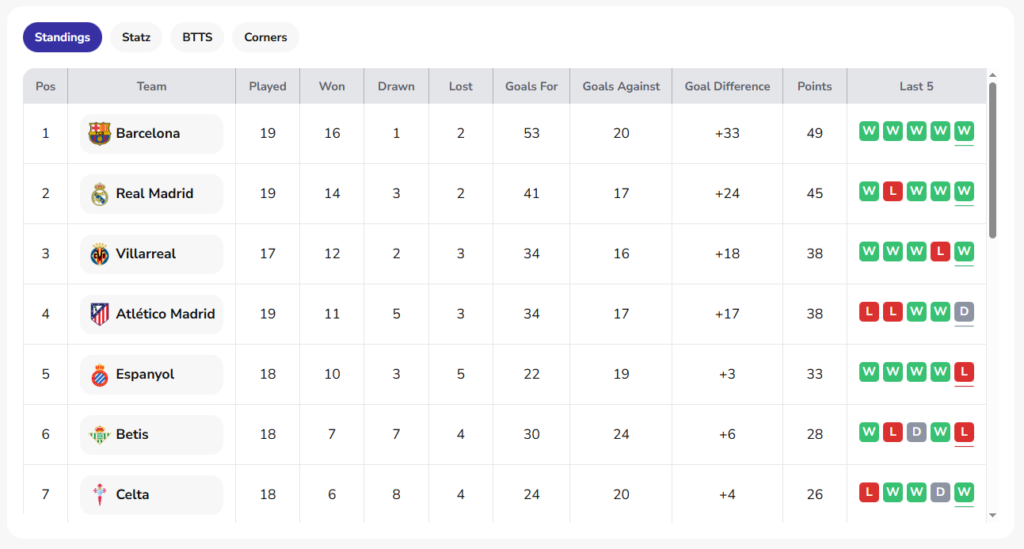
In this module we have four distinct table views give you different perspectives on the competition, from traditional standings to advanced statistics.
Standings Table:
Default table view the traditional league table with game played, position, points, goal difference etc. With your cursor inside the table module scroll down to see the rest of the table. Check the “Last 5” column to identify teams on winning streaks or poor runs using the color-coded form guide. Tip: Use this table to navigate to our team profile pages – for example, below, clicking the league leaders will send you to Barcelona’s team page.
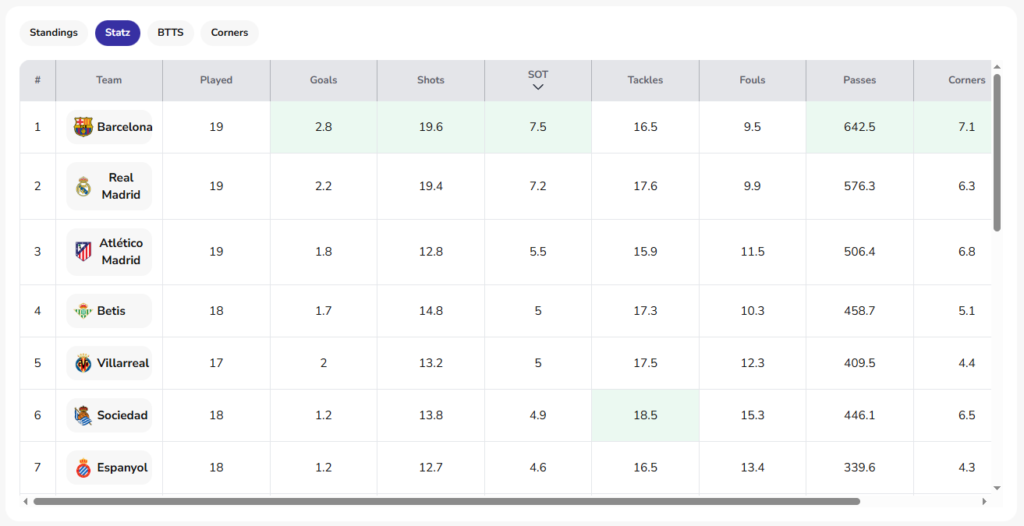
Statz Table:
Click the Statz tab to access other key statistics like shots, fouls and tackles – expected goals (xG) coming soon. Here you can see each team’s per match average for each statistic. By default, the table is sorted by Goals, for example below, Barcelona lead La Liga for Goals per match (2.8). Tip: Click on the column header for different statistics to identify which teams lead for this statistic (click again to see which teams are bottom…).
BTTS (Both Teams to Score) Table:
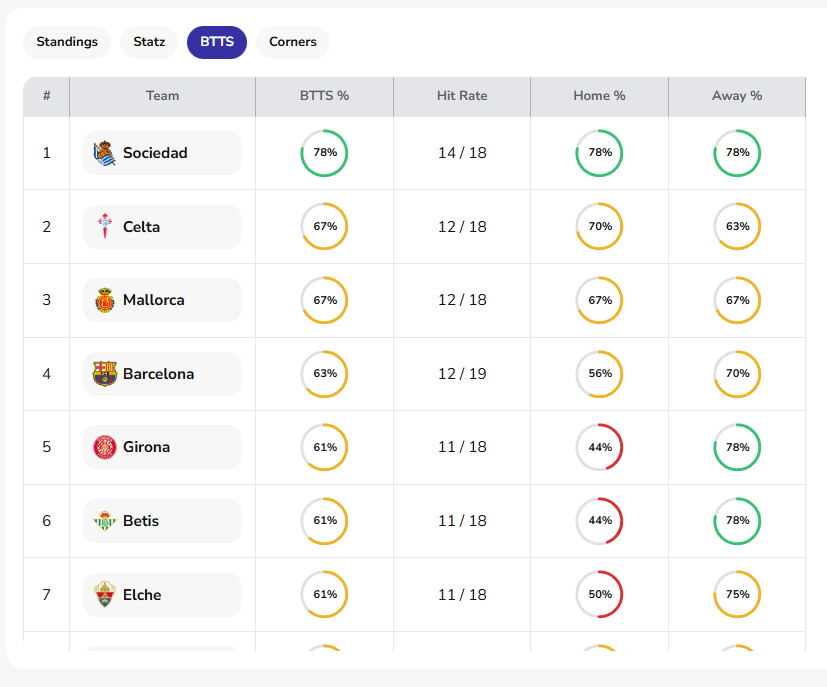
Click the BTTS tab to find teams most and least likely to be involved in games where both sides score.
Columns Explained
- BTTS % – This is the percentage of games in which that team has been involved that both teams have scored. For example below, in 67% of Celta Vigo’s games, both teams have scored at least 1 goal.
- Hit Rate – This is similar to BTTS % but displayed as a frequency, with the added context of how many games that team has actually played.
- Home % – This is the percentage of home games that team has been played where both teams have scored.
- Away % – This is the percentage of away games that team has been played where both teams have scored.
Tip: Don’t just use the BTTS % column for your betting decisions, Home and Away columns are just as useful. For example below, based on Girona’s Home and Away %’s, you would be much more inclined to include them in a BTTS bet if they were playing away from home.
Corners Table:
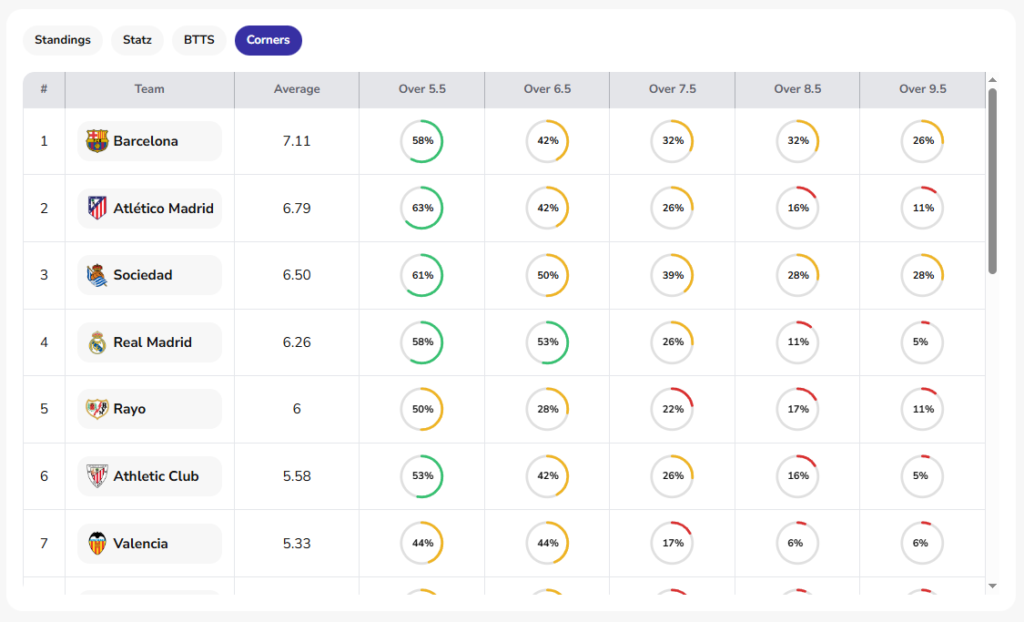
Click the Corners tab to find out which teams have the most and least corners and how often they hit certain thresholds – corners against and match corner totals coming soon.
Tip: Check how the top teams corner totals differ over certain thresholds before placing your corner bet. For example, Barcelona and Real Madrid both have high averages, however, Real Madrid seem much less likely to hit high totals. They have only hit over 9.5 corners 5% of the time compared to Barcelona’s 26%!
Fixtures
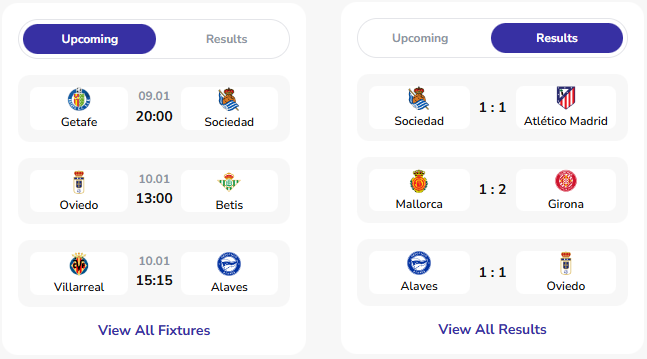
The Fixtures section simply displays upcoming matches or recent results, with the ability to see all games if you wish.
How to use Fixtures:
- Switch between “Upcoming” and “Results” tabs at the top to see match dates and times for upcoming fixtures or the scores of recently finished fixtures.
- Click “View All Fixtures” to see the complete schedule of upcoming fixtures or click “View All Results” to see all finished fixture results.
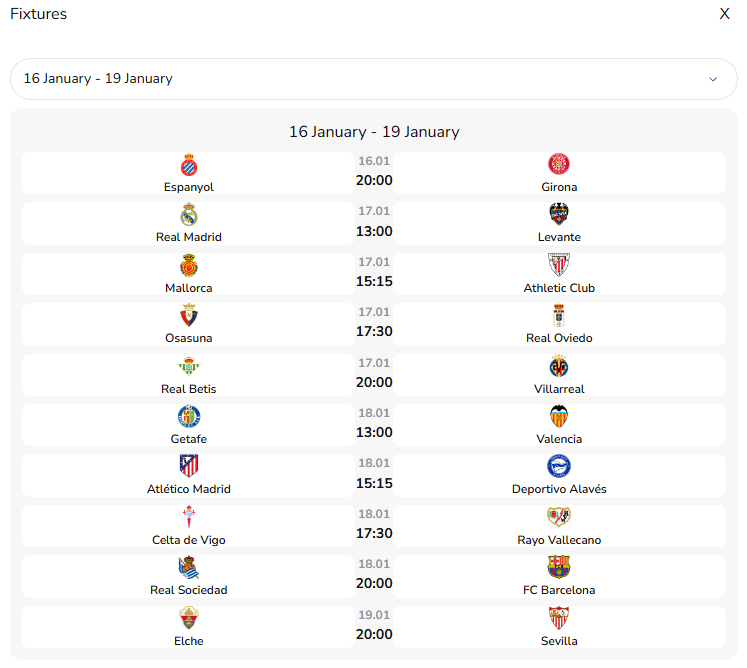
- Use the fixture list to plan your betting week and identify key matchups. For example below, I have selected an upcoming gameweek – Real Madrid and Barcelona both with favourable matchups! To go back to the competition hub just click the X in the top right corner.
Stat Leaders
The Stat Leaders section ranks top performers across multiple categories, helping you identify which are the top players in the division this season.
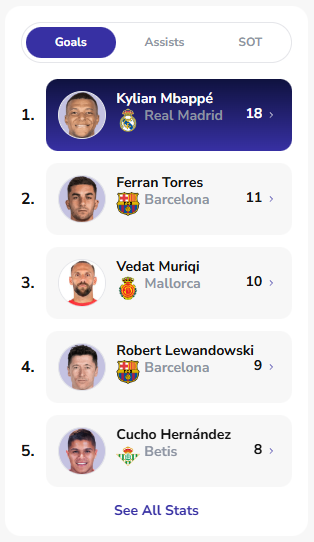
How to use Stat Leaders:
- Toggle between “Goals”, “Assists”, and “SOT” (Shots on Target) tabs.
- View the top performers with their current totals displayed prominently.
- Click “See All Stats” to access complete leader boards and 30+ other stat categories.
Tip: Click on a player to see their full player profile page, for example clicking the top goal scorer above would take you to Kylian Mbappé’s page.
Conclusion
The Competition Hub puts comprehensive football data at your fingertips. By mastering each section, you can conduct efficient research, spot betting value, and stay updated on competition developments all from one page.